Negative Lab Pro
Plugin for Adobe Lightroom for Converting Black-and-White and Color Negatives2022 © Thomas Gade
Index: From Negative to Positive
Previous page: Manually Converting Negatives into Positives with Adobe Lightroom
The following section describes an automatic conversion method. It is not part of Adobe Lightroom itself but is provided by an additional plugin.
Negative Lab Pro is an extension for Adobe Lightroom that makes it easy to convert photographed negatives into positive images. Installation consists of downloading a folder containing several subfolders and copying them to the appropriate locations according to the English installation guide. The plugin adds its own camera profiles to those already available in Lightroom.

Adobe Lightroom is opened, and the imported photographs are displayed in the filmstrip at the bottom of the screen.

Select a negative and start Negative Lab Pro via:
File → Plug-in Extras → Negative Lab Pro
Assigning a keyboard shortcut makes the plugin even quicker to access.

After launching Negative Lab Pro, the negative appears slightly darker and with lower contrast. This is caused by the camera profile included with the plugin. In version 2.3, the profile is called "Negative Lab v2.3".
Click "Convert Negatives" to begin the conversion.
Before doing so, a few settings should be adjusted. The default value for Border Buffer is 5%. This excludes the film border from the tonal analysis. Depending on how much of the film border was photographed, the percentage can be increased or decreased accordingly.
If little or no border is visible, a small value is sufficient. In practice, however, it is not always possible to photograph the negative without including part of the border. Therefore, excluding this area from the analysis is a useful feature.
The Edit tab contains several sliders for adjusting contrast and color. Personally, I prefer retaining detail in dark shadow areas instead of rendering them completely black. Therefore, I usually increase the Darks slider to a value between 5 and 10. Likewise, bright highlights such as white clouds can often benefit from setting Lights to around -5. Feel free to experiment until you find the look you prefer.
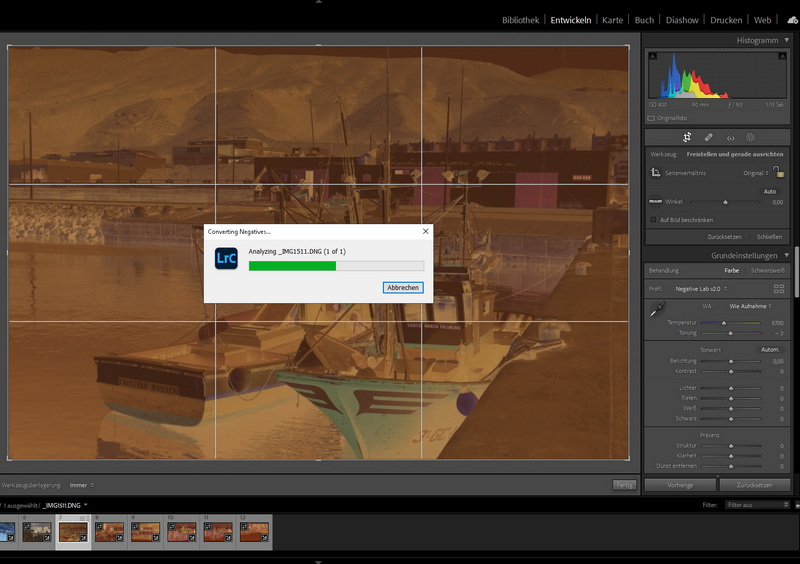
After adjusting the settings, click Apply. A green progress bar indicates the conversion process.

The following image pair illustrates the effect of adjusting the tonal settings. Without changing the default values, the dark areas of the ship hulls appear too dark for my taste.

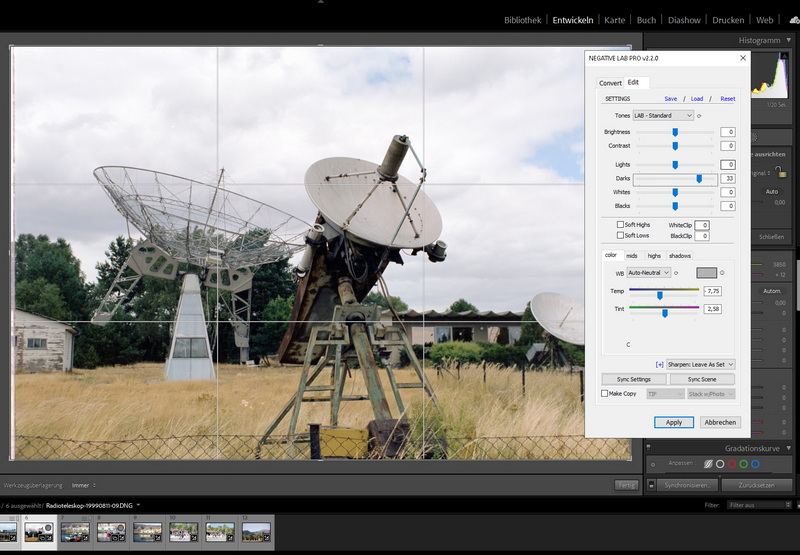
Increasing the Darks value brightens the shadows and produces a very pleasing positive image.
Batch Processing
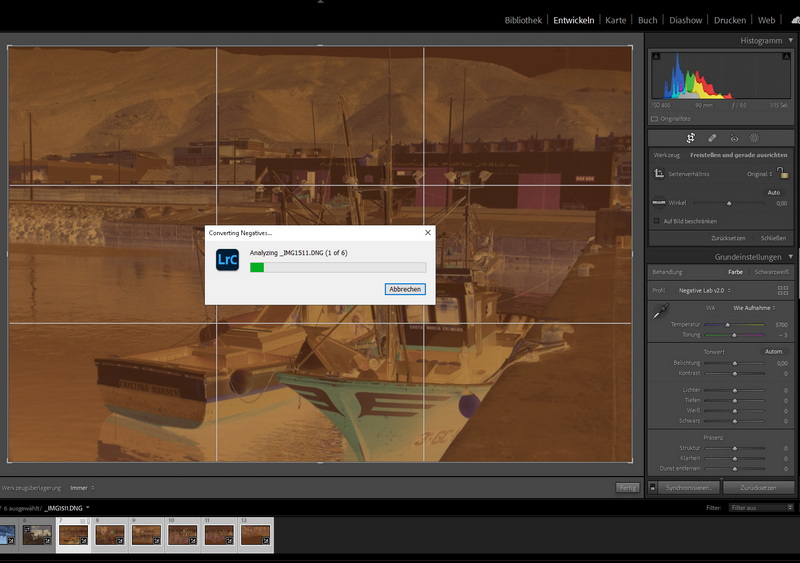
Multiple negatives can be selected simultaneously, eliminating the need to enter the same settings repeatedly. Shared settings work particularly well for negatives from the same roll of film that were exposed under similar lighting conditions. Batch processing performs this task extremely well.
Brightening Shadow Areas
The following examples further demonstrate how effectively shadow detail can be recovered simply by moving the Darks slider slightly to the right.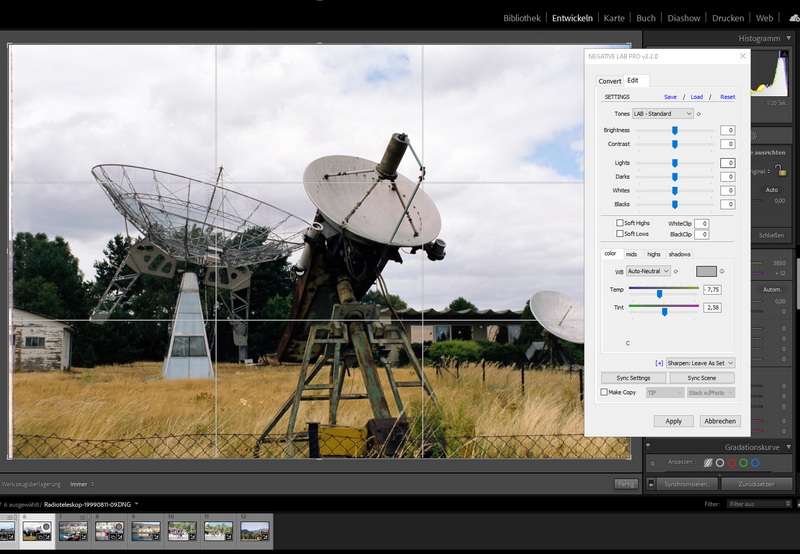
Solar Radio Observatory in Tremsdorf, Brandenburg, Germany. Parabolic antennas of the Leibniz Institute for Astrophysics Potsdam. Photographed on 35 mm color negative film (24 × 36 mm format). The observatory was dismantled in 2014.
Technical Specifications
| Manufacturer | Nate Photographic |
| Product | Negative Lab Pro 2.2.0 |
| Type | Plugin for Adobe Lightroom |
| Price |
US$99 |
| Requirements | macOS or Windows |
| Lightroom Classic or Lightroom 6 |
Conclusion
Negative Lab Pro is an outstanding addition to Adobe Lightroom and delivers remarkably good results. Individual negatives as well as large batches can be converted automatically with very little effort. Image adjustments can be applied to entire groups of photographs, making the workflow highly efficient. Even professional film scanner software is unlikely to produce noticeably better results.The only feature still missing is automatic detection and removal of dust, scratches, and other film defects. However, it is probably only a matter of time before AI-based tools become capable of identifying such imperfections as reliably as a human operator and repairing them intelligently by analyzing the surrounding image content. Negative Lab Pro already saves a tremendous amount of time while producing excellent results in most cases.
The price is reasonable. VueScan Pro, another professional scanning application, costs about the same. Photographers who own a good digital camera, a quality macro lens, and have mastered the technique of photographing film negatives can often do without a dedicated film scanner altogether.
The only real drawback is that Negative Lab Pro is not compatible with other RAW converters such as DxO PhotoLab or Capture One. Since not everyone uses Adobe Lightroom, broader compatibility with alternative RAW processing software would be highly desirable.
- Index: From Negative to Positive
- ACDSee
- Adobe Lightroom
- Adobe Photoshop
- SilverFast
- SmartConvert