Converting Negatives with SmartConvert
2025 © Thomas Gade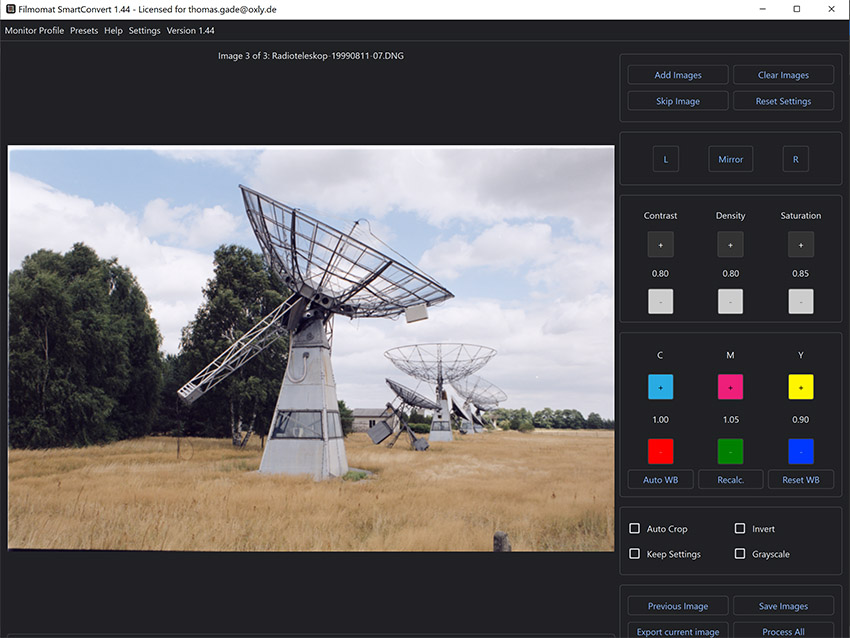
SmartConvert
SmartConvert was introduced in 2023 and is a software application for converting digital negatives into positive images. It works independently of Adobe software, which is a major advantage.
Manufacturer:
Filmomat GmbH
Name: SmartConvert
Product: Software for converting digital negatives into positive images
Price History: 2023: €99, 2025: €149, 2026: €199
Name: SmartConvert
Product: Software for converting digital negatives into positive images
Price History: 2023: €99, 2025: €149, 2026: €199
* According to the website: "No subscription. Buy once, use forever. Updates included."
Installation
Download the EXE file and save it in a convenient location. I created a folder named 'SmartConvert' inside the 'Program Files' directory on the system drive. Then create a desktop shortcut. When launching the software for the first time, enter your email address and activation code. The computer must be connected to the internet during activation.In Practice
The software is easy to use. However, you should understand the English labels and menu items. If necessary, Google Translate can help with unfamiliar terms. On some systems, the Windows taskbar may partially cover the "Edit Crop" button. This is something to keep in mind. Everything else becomes clear after experimenting with a few scanned or photographed negatives. Auto Crop can be very useful, but it is not always reliable. In practice, you will quickly discover the limitations of the automatic functions.Control Panel
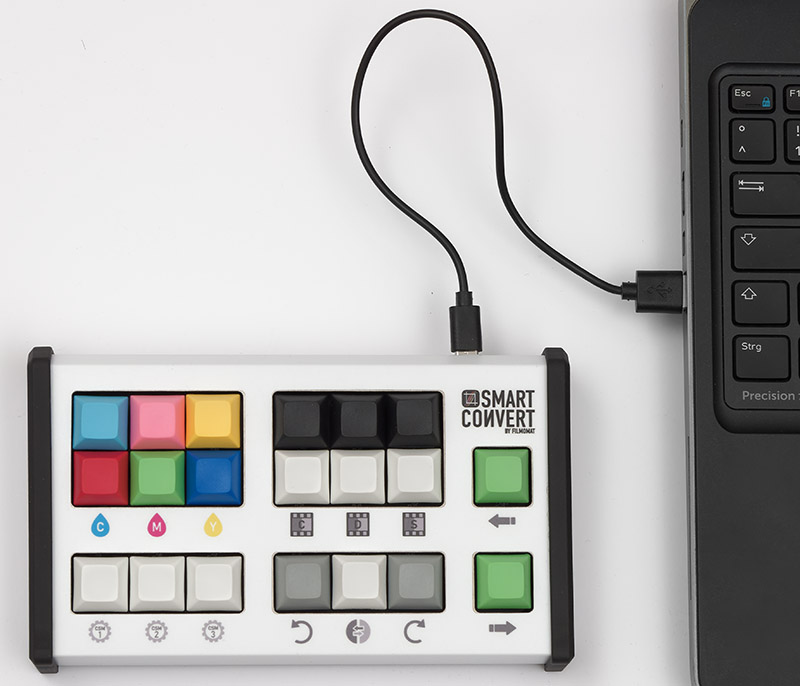
An optional dedicated keyboard is available for more convenient operation of SmartConvert.
Manufacturer:
Filmomat GmbH + Jules Bobach
Name: Control Panel
Product: Keyboard for SmartConvert
Price: €249
Name: Control Panel
Product: Keyboard for SmartConvert
Price: €249
The Control Panel features six color adjustment keys (CMY/RGB), six keys for density, contrast, and saturation, three keys for rotation and mirroring, and two keys for navigating between images. Three additional keys are freely programmable, for example for Auto Crop, Crop, or converting an image to grayscale. The keyboard is compatible with both Windows and Mac computers and connects via USB.
The Control Panel is not required to use SmartConvert, but it can make the workflow more efficient. Whether it is worth the investment depends primarily on the number of images you plan to process.
Conclusion
"Fast, simple, and effective" could be the motto of this software. The original price of €99 was a bargain. By 2026, the price has increased to €199, which is still reasonable. A particularly attractive feature is the promise that all future updates are included at no additional cost for an unlimited period. Therefore, if you are considering purchasing SmartConvert, it may be wise to do so sooner rather than later, given the rapid price increases.- Index: From Negative to Positive
- ACDSee
- Adobe Lightroom
- Adobe Photoshop
- SilverFast
- SmartConvert