NEGMASTER - Converting Color Negatives
2022 © Thomas GadeIndex: From Negative to Positive
NEGMASTER is an extension for Adobe Photoshop and costs €79.
Website: https://negmaster.com/
Installation
NEGMASTER can be installed conveniently using an EXE installer. This is not always the case with Photoshop extensions. After opening NEGMASTER in Photoshop, activation is completed by entering the email address used during registration and the license key. The computer must be connected to the Internet during this process. If activation does not work the first time, simply enter the information again.Using NEGMASTER

With Photoshop open, launch NEGMASTER using the following menu:
Window -> Extensions (Classic) -> NEGMASTER
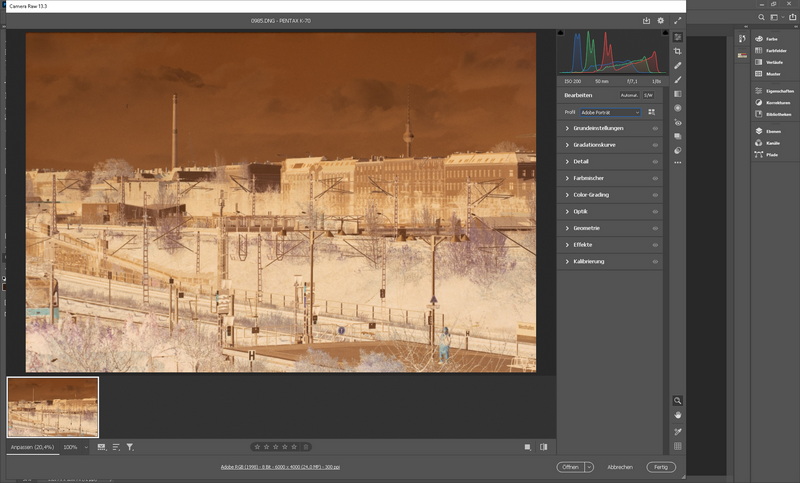
Next, open a file created by photographing a negative. Photoshop launches Adobe Camera Raw for this purpose. In the example shown, the negative is upside down and must be rotated 180 degrees. (Press the L key twice.)

Under Profile, there is a small selection of options as well as the entry Browse.
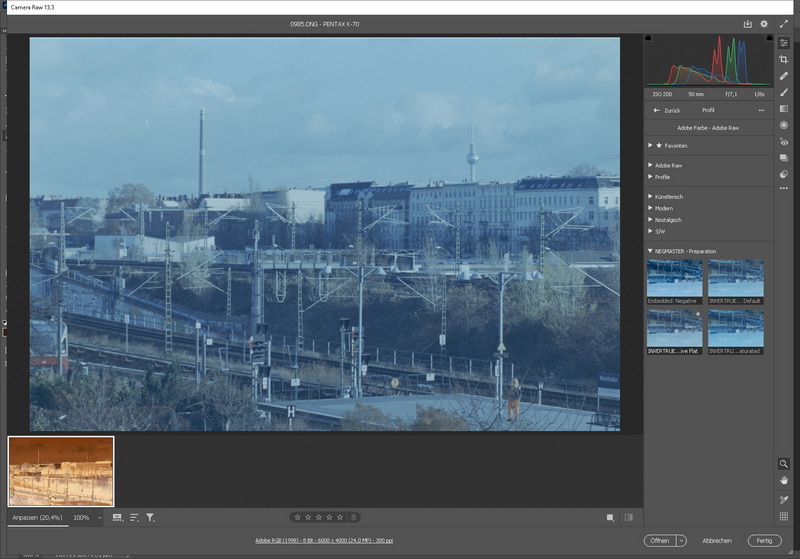
After clicking Browse, a larger selection appears, including four NEGMASTER profiles with small preview images. These previews already show the original negative converted into a positive image, although with a bluish color cast and rather flat tonal values. Select one of the profiles and click Open.
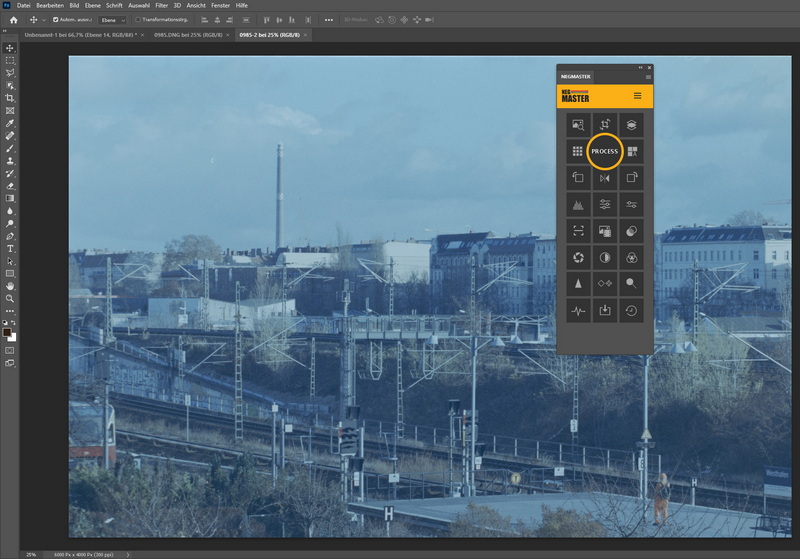
Camera Raw then converts the image into an RGB/48-bit file and transfers it to Photoshop. The Camera Raw window closes automatically. Next, click Process in the yellow circle in the NEGMASTER panel. The content of the circle changes, and a right-pointing arrow appears. Click this arrow to start the tonal correction process.
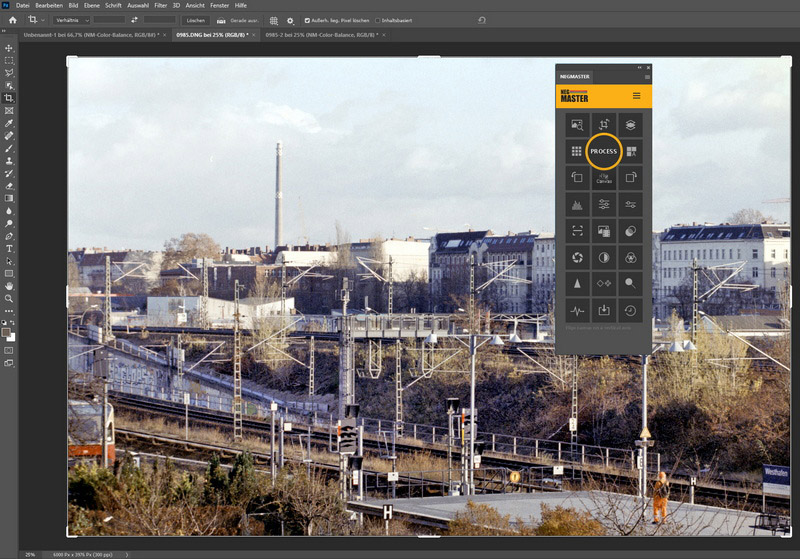
A challenging image was selected for this test. It contains both bright and dark areas with different color characteristics, making it difficult to correct. The colors of the subway train (left side, lower area) appear natural. The shadows contain slightly more blue/magenta than they should, which is not unusual with color negatives. Considering that the original negative was far from ideal, the result is acceptable.
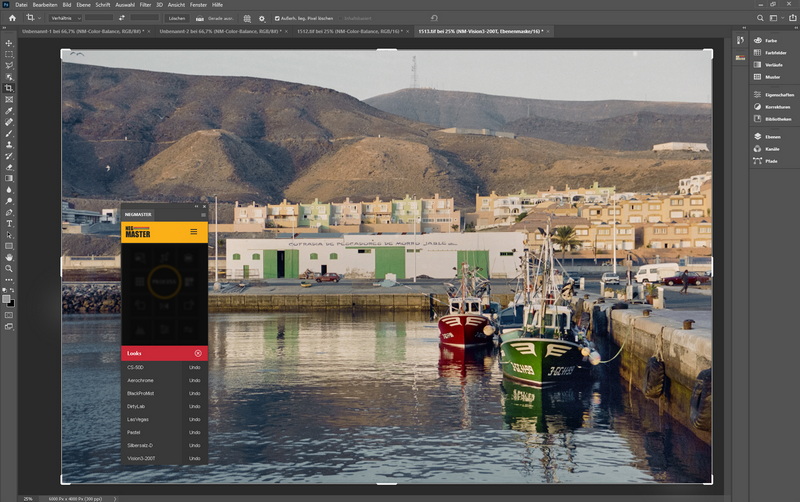
NEGMASTER includes many different looks for various tonal interpretations. It is worth trying them out to find the one that best matches your preferences.
Future Development
The disadvantage of Grain2Pixel, Negative Lab Pro, and NEGMASTER is that they depend on Adobe's paid software ecosystem. However, Adobe Bridge can be used free of charge as a file management application. Although an Adobe account is required, there are no subscription fees.Eikmeyer recently introduced NEGMASTER BR SC, which requires only Adobe Bridge. At the time of writing, it correctly processes only RAW files from film scanners, not RAW files created by photographing negatives with a digital camera. Support for camera-created RAW files was planned for 2023.
Update: In December 2022, Eikmeyer announced the upcoming release as NEGMASTER BR-DS. However, in January 2023, a correction was posted on Facebook: "There will never be a Neggy BR-DS, and I will declare Neggy BR-SC End of Life. Instead, NEGMASTER BR-SC will be renamed NEGMASTER BR. Additional support for the following DSLR file types will be added: ..."
- Index: From Negative to Positive
- ACDSee
- Adobe Lightroom
- Adobe Photoshop
- SilverFast
- SmartConvert