Aiarty Image Enhancer / Image Matting
2026 © Thomas Gade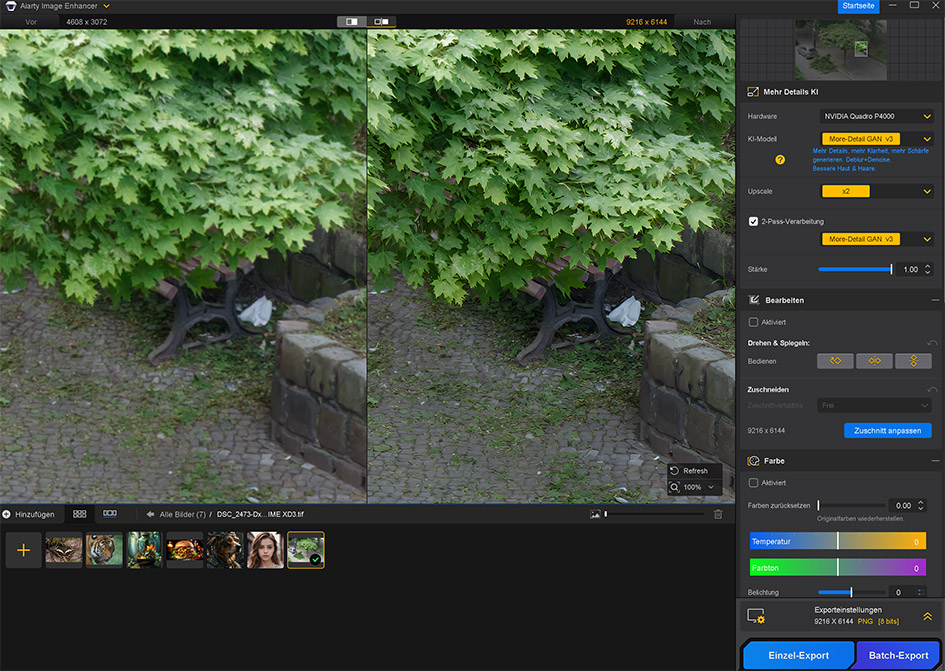
Since 2024, Digiarty Software has released several AI-powered tools for image and video enhancement under the Aiarty brand. The current products are Aiarty Image Enhancer (for upscaling photos), Aiarty Image Matting (for removing backgrounds and isolating subjects) and Aiarty Video Enhancer (for improving video quality).
After installation, the software automatically analyzes the system's hardware and adjusts its processing methods accordingly. An internet connection is required for the initial downloads of the AI models. The actual image processing, however, takes place entirely locally. Once the models are downloaded, the software no longer requires internet access. This decision was made to ensure maximum data security and independence from the internet.
Aiarty Image Enhancer
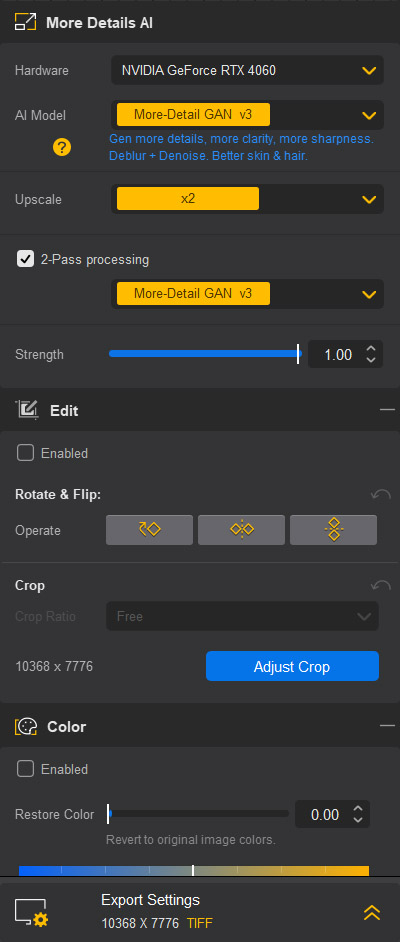
The available tools are straightforward: Upscaling, Rotate & Mirror, Color, Face Restoration (reconstruction of blurry faces), HDR (creation of an HDR effect from a single image), and AI Eraser (retouching brush).

Nikon V2 (14.2 megapixel) with 1 NIKKOR VR 10-100mm f/4-5.6.
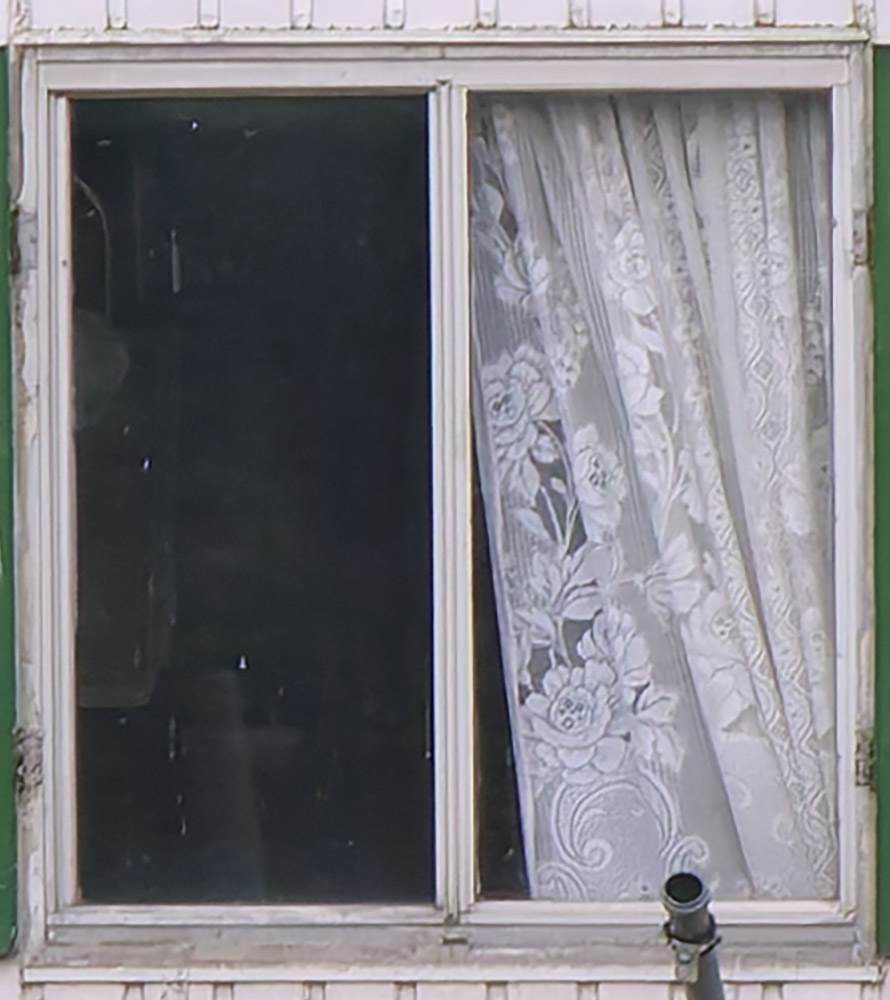
Detail from the image: The window with the curtain is not particularly sharp.

Aiarty Image Enhancer can improve sharpness and enhance visible detail resolution.
Pricing

The apps are offered as perpetual licenses for up to three PCs. These licenses include lifetime updates, including future major version upgrades. Each license is valid for a single operating system - either Windows or macOS.
The tools can be purchased individually. Bundle options are also available: Aiarty Image Enhancer together with Aiarty Image Matting or Aiarty Video Enhancer, as well as all three applications combined in the Aiarty AI Toolbox.
No Plugin Support
Unfortunately, the Aiarty tools currently operate as standalone software and are not yet available as plugins for Photoshop, ACDSee, Gemstone Photo Editor, Affinity, or XnView. Users of Affinity or XnView, in particular, would welcome direct integration of these powerful AI features. In this context, Digiarty stated that they are considering plugin support for future development.Aiarty Image Matting
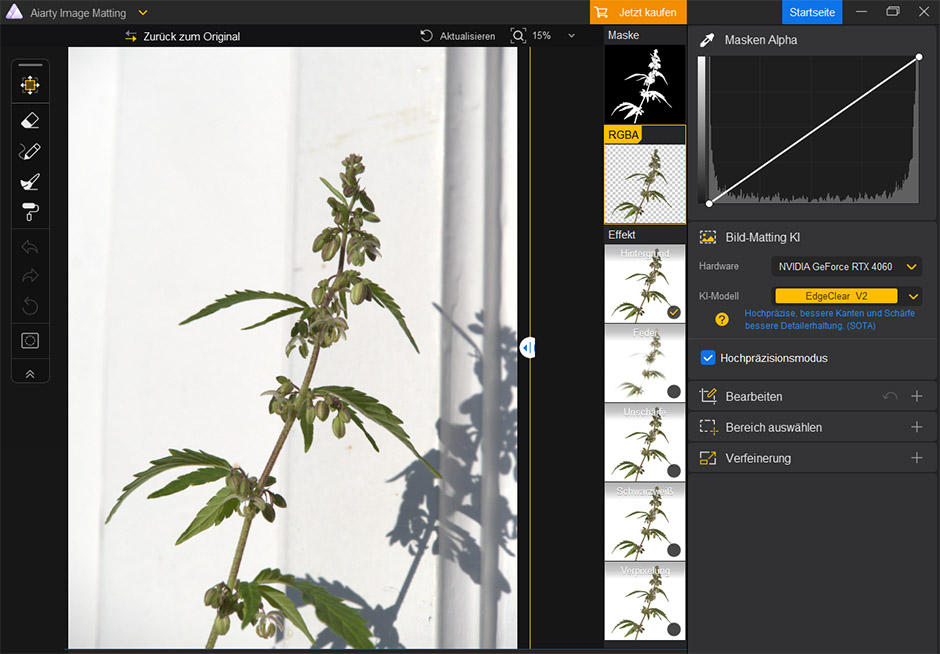
Aiarty Image Matting: A plant is to be separated from its background.
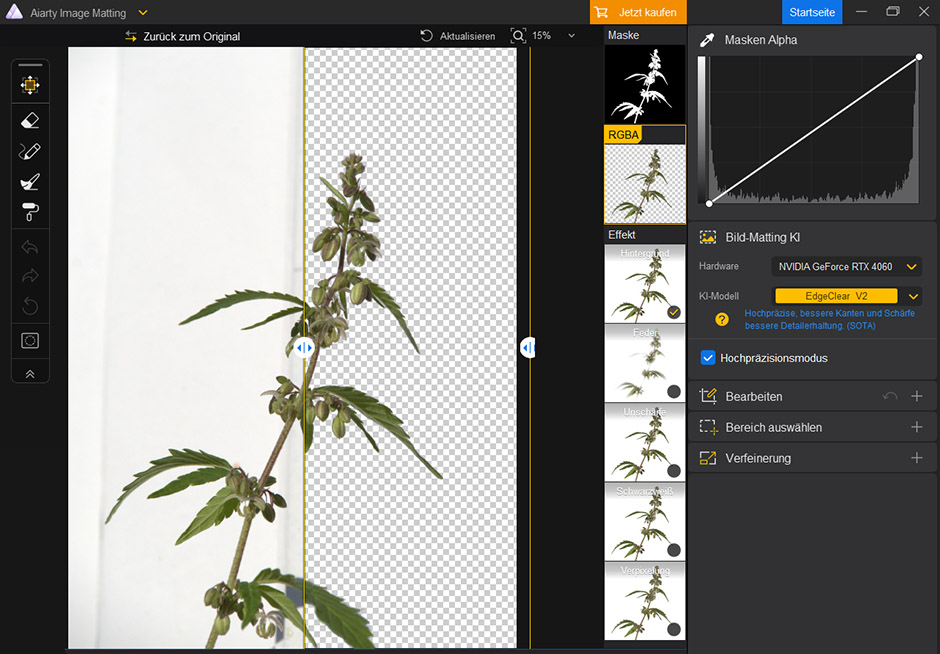
Aiarty Image Matting does an excellent job of separating the plant from both the background and its shadow. Only the fine hairs along the edge of the stem are ignored and removed. Even other premium tools of this type, including Adobe Photoshop, still struggle with such details. Aside from this limitation, Aiarty Image Matting is an effective and precise background-removal tool that can significantly streamline workflows, especially in product photography and portrait work.
AI Features Are Trending
Currently AI-powered features such as image upscaling, noise reduction, subject extraction, sharpening, generative image creation, facial reconstruction, sky replacement, and colorization are rapidly finding their way into an increasing number of image-editing applications. The same applies to AI-based tools for video enhancement.Intense competition drives innovation but also affects pricing. Expensive subscription models are facing growing pressure as competing products offer similar features through one-time purchases with perpetual licenses. Furthermore, some AI features are now available free of charge online.
Against this backdrop, Aiarty Image Enhancer presents a somewhat mixed picture. The software upscales digital photographs while improving perceived detail and sharpness. It also reduces image noise and offers various color-enhancement options. Many of my test images produced convincing results with Aiarty Image Enhancer. However, limitations became apparent when working with scanned slides and film negatives. The software often failed to recognize film grain correctly, occasionally producing unwanted artifacts. This issue did not occur with digital photographs.
However, ACDSee Photo Studio Ultimate and ON1 Photo RAW now provide comparable image-upscaling capabilities. The same applies to subject extraction, which Aiarty addresses through Image Matting. Given that the comprehensive ON1 Photo RAW MAX package is often available for around $145 during promotional sales, Aiarty's products face significant competitive pressure.

Two dragonflies. Nikon V2 with 1 NIKKOR VR 10-100mm f/4-5.6.

Image detail.

Aiarty Image Enhancer increases the perception of sharpness and improves the visibility of fine details.
Conclusion
AI tools such as Aiarty Image Enhancer and Aiarty Image Matting significantly simplify image editing. Tasks that once required painstaking manual selections with polygonal lasso tools can now be handled by highly accurate background-removal tools such as Image Matting. In most cases, little or no manual correction is required.For this review, the software was tested on a Dell Precision 7720 laptop (manufactured in 2018) equipped with a 7th-generation Intel Core i7 CPU, 32 GB of RAM, and an NVIDIA graphics card with 8 GB of video memory, as well as on a desktop PC featuring an 11th-generation Intel Core i9 CPU, 32 GB of RAM, and an Nvidia GeForce RTX 4060. Both systems ran Windows 11 and provided smooth performance. The tests demonstrated that even older workstations equipped with capable graphics hardware are more than sufficient for Aiarty's image-enhancement tasks and that a modern high-end system is not required.
Even so, the tools do not generate much purchase enthusiasm for me personally. More and more applications now offer AI-powered image upscaling, including ON1 Photo RAW and the software I currently use, ACDSee Photo Studio Ultimate 2026. Both are available through a one-time purchase and are frequently offered at attractive promotional prices.
Another drawback is the lack of plugin integration with existing software, particularly Affinity Photo and XnView, but also ACDSee Photo Studio and Gemstone Photo Editor. If this situation remains unchanged, the strong competition in the market could make it difficult for Aiarty's applications to maintain a successful long-term position.